
Adaptive Placement
Start with a practical passive vocabulary estimate and use it to calibrate learning goals, not just curiosity.
Adaptive placement, active recall, AI feedback, and spaced review for serious English learners who want to use words accurately in writing and speech.
The product is designed around the gap serious learners actually feel: they know many words, but cannot retrieve them fast enough in writing and speaking.
Start with a practical passive vocabulary estimate and use it to calibrate learning goals, not just curiosity.
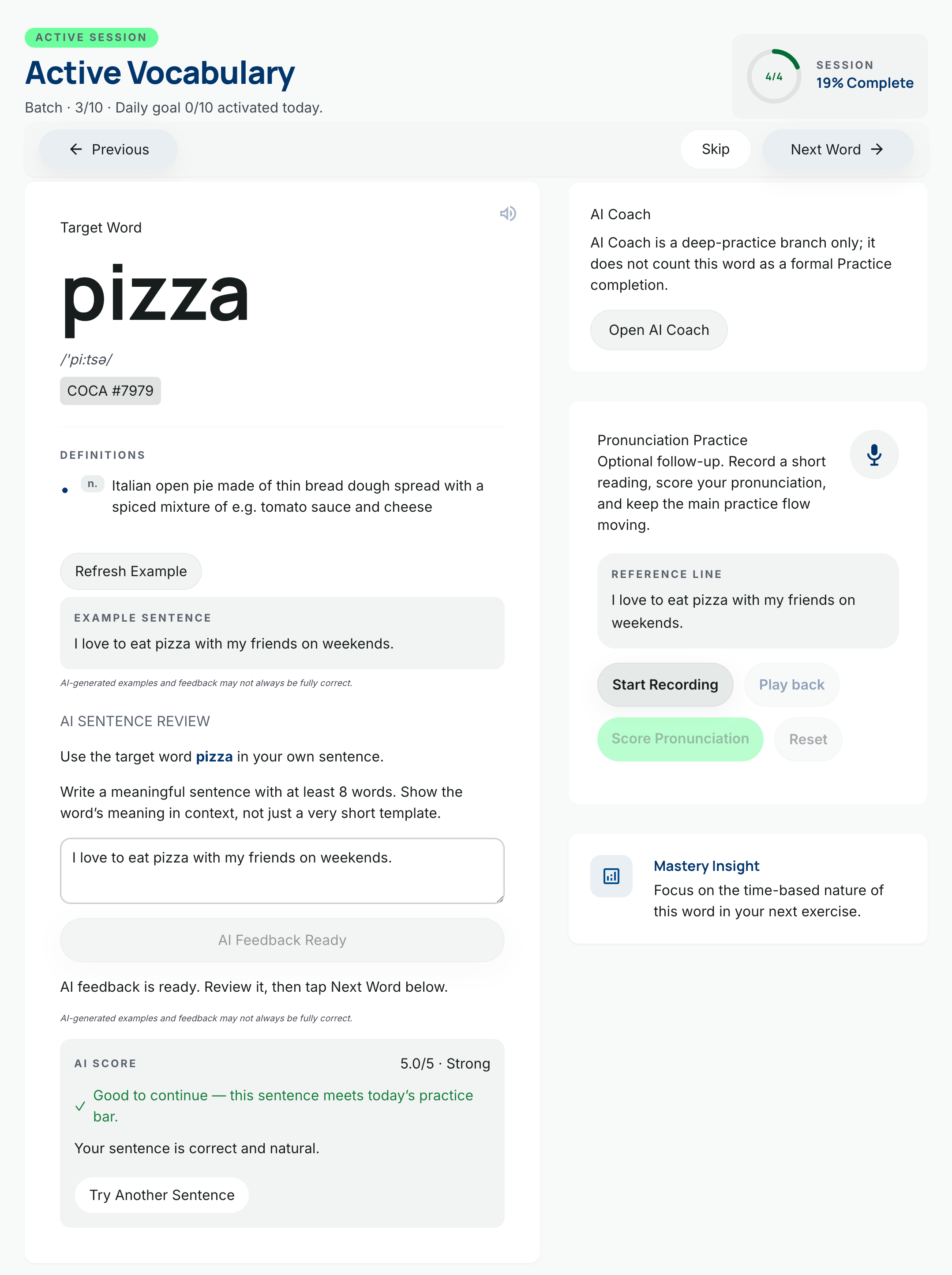
Train through listening, recall, sense selection, and composition instead of stopping at flashcard recognition.
Keep progress alive with review-first logic, hard review support, and learning records that reflect real study behavior.
Use AI feedback, progress signals, and structured workflow cues to understand what to learn next and why.
The workflow matches the product’s actual structure: assess your baseline, train new words, review them on schedule, and watch progress accumulate in reports and stats.
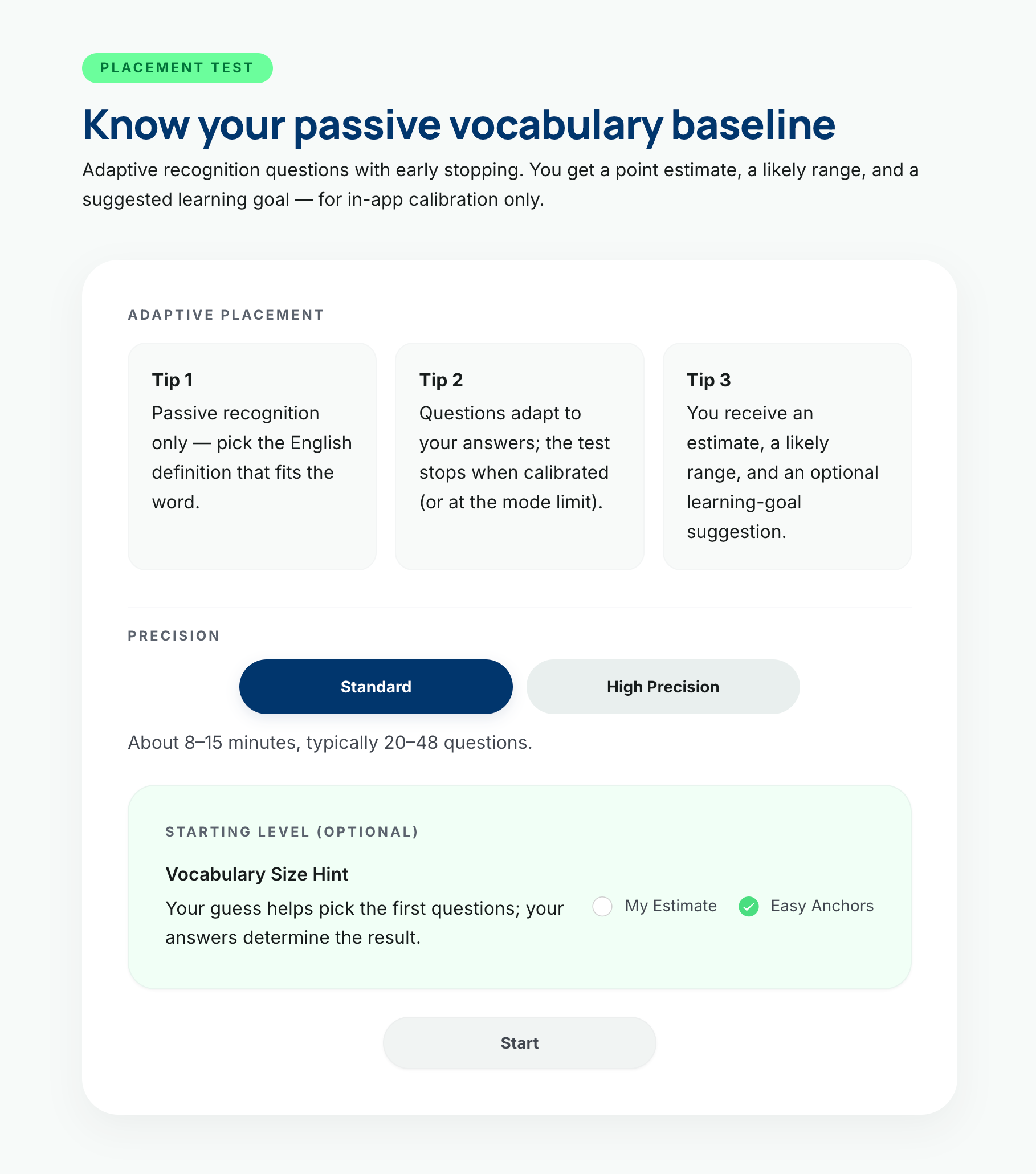
Use placement to estimate your passive vocabulary baseline and set a more realistic target scope.
Work through structured active tasks designed to move words from recognition into usable recall.
Return to due words on time and strengthen retention with review-first logic and hard review when needed.
Track streaks, study velocity, and session history so your vocabulary growth stays visible and actionable.
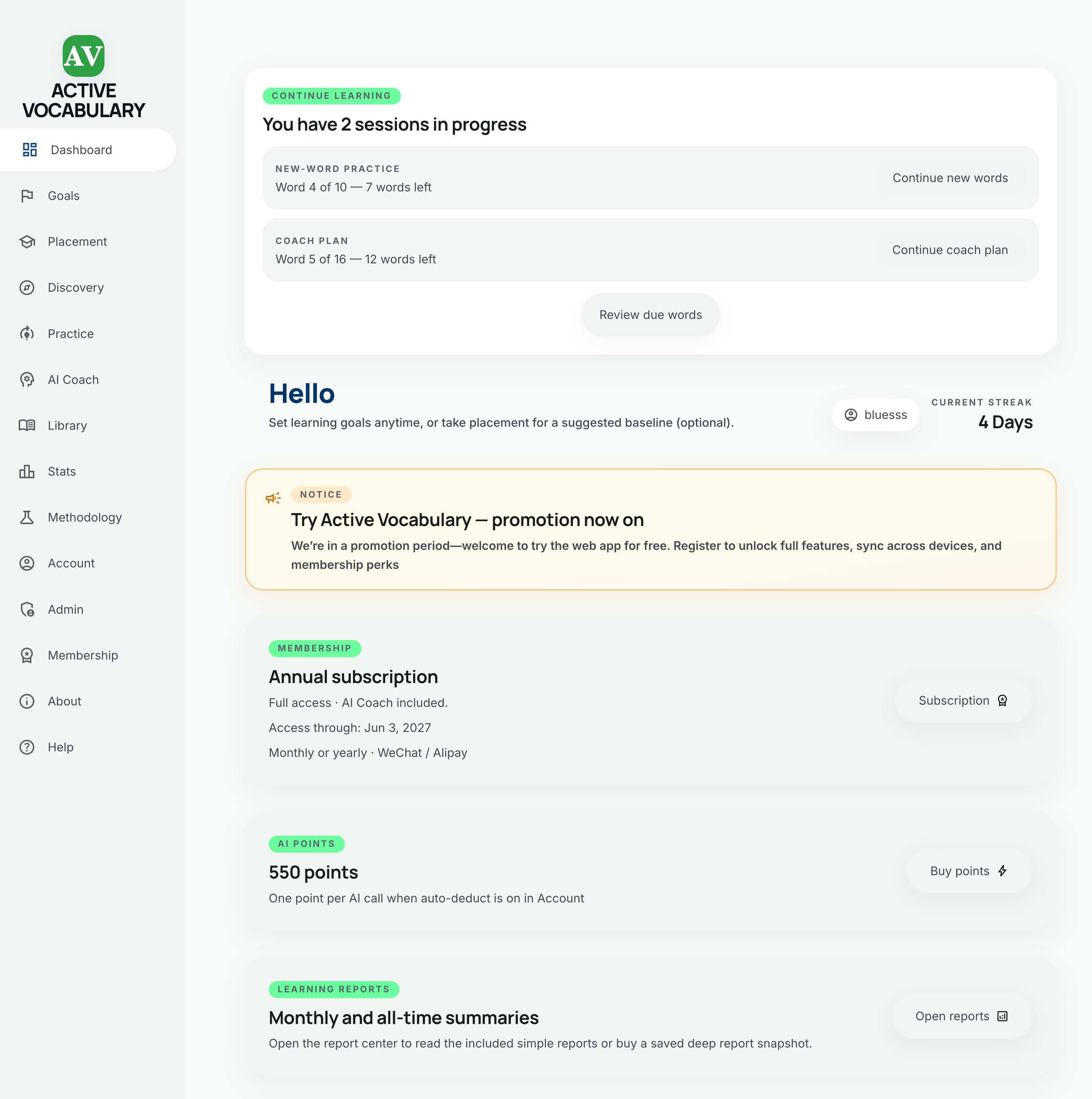
These are current web-app screens from the real product: placement, dashboard, practice, stats, and daily records.
Users begin with an adaptive baseline instead of guessing a level, which makes goals and later practice more defensible.
Mastery, due reviews, weekly velocity, and coach-plan signals stay visible instead of being buried in a secondary screen.
Users can revisit a date, inspect finished sessions, and see exactly which words were completed that day.
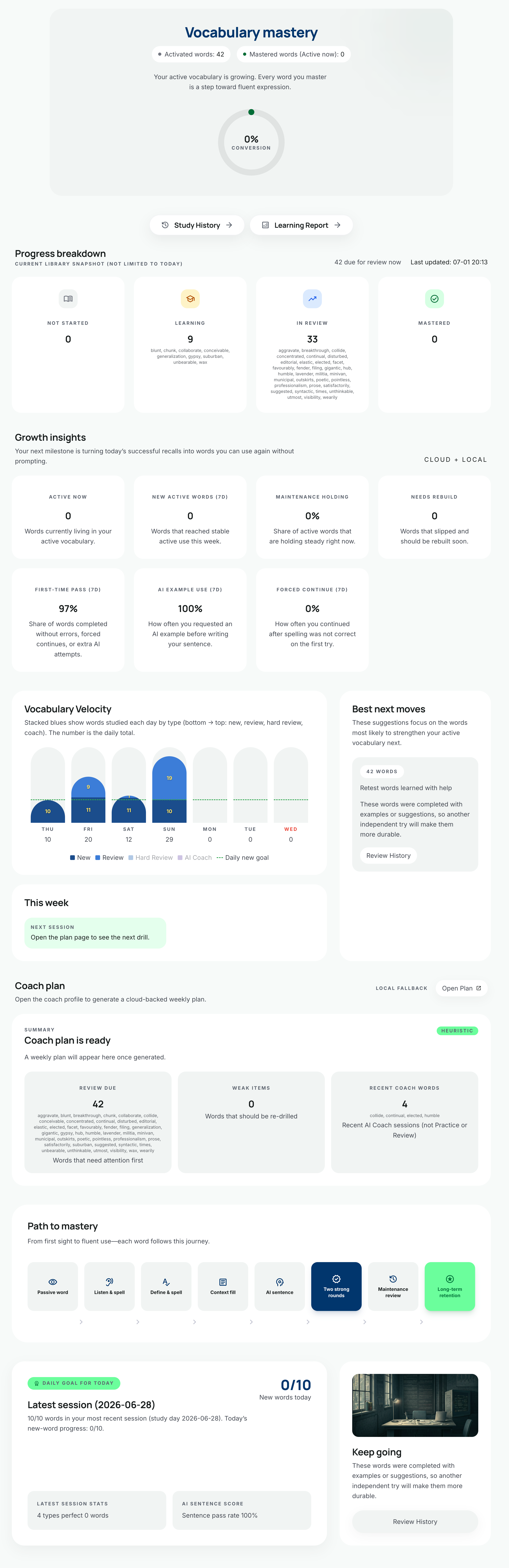
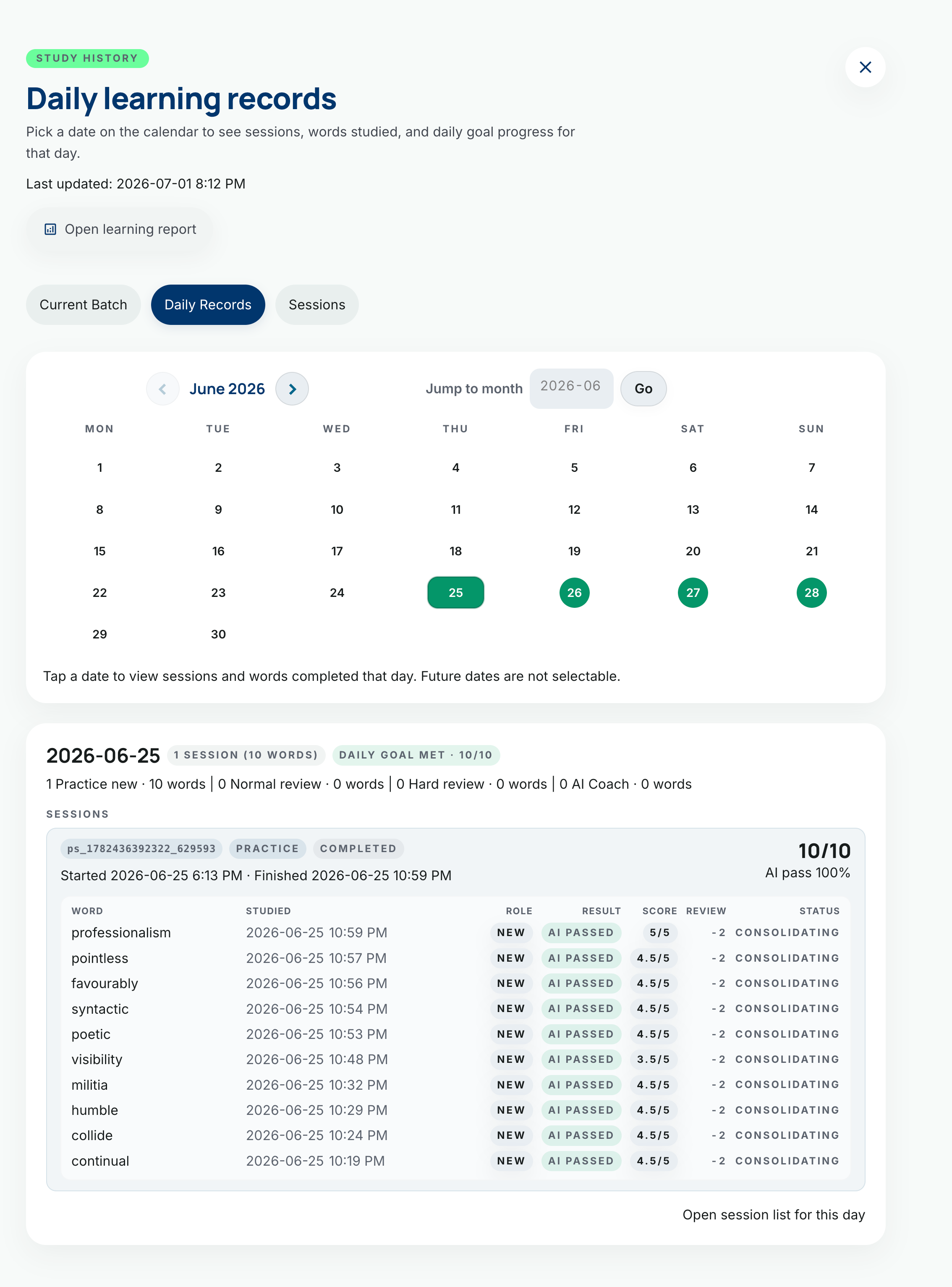
The methodology page explains the active retrieval logic, desirable difficulty, AI coaching rationale, and why this product centers output quality instead of vanity metrics.
Explore MethodologyActive Vocabulary is delivered primarily as an H5 PWA, with cross-device sync, install-to-home-screen support, and workflow continuity across phone and desktop.
Membership unlocks the full learning flow, while AI points extend extra cloud AI usage when your daily quota is used up. The landing page introduces the model without turning into a pricing wall.
Read product detailsThe detailed operational guidance stays inside the app’s Help page. This section keeps the public page focused on decision-making questions.
Yes. The first version of this landing page and the main app both assume responsive browser use across desktop, tablet, and mobile widths.
Yes. Active Vocabulary is delivered primarily as an H5 PWA, so supported browsers can add it to the home screen or dock for a more app-like experience.
Yes. The main app is designed around cloud-backed progress and session continuity so you can move between devices without losing your place.
No. The product can introduce itself through placement and browsing flows first. Account-linked sync and long-term continuity become more important once you start using it seriously.
No. AI deepens the workflow through composition feedback and coaching, but the product still has a structured learning loop even before every advanced AI path is used.